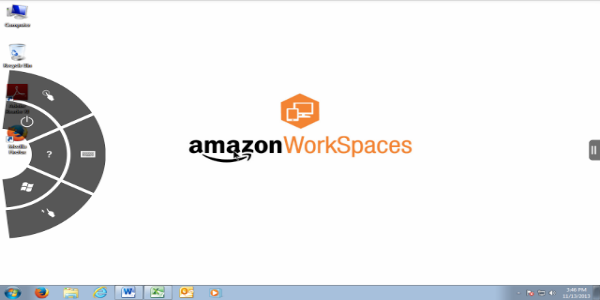
Easily connect to your Amazon WorkSpace with the Amazon WorkSpaces App. This application is perfect for everyday business tasks such as editing documents, using web applications, and handling email. To get started, you'll need an active Amazon WorkSpaces account.
What is Amazon WorkSpaces?
Amazon WorkSpaces transforms desktop computing by delivering a cloud-based service that lets you access your full desktop from any location, on any device. Whether you are a telecommuter, a frequent traveler, or working within a large corporation, Amazon WorkSpaces offers a secure and adaptable method to meet your computing needs without relying on physical hardware.
Empowering Remote Work
In our connected world, flexibility and mobility are key to business success. Amazon WorkSpaces removes the limitations of a traditional desk-bound setup by shifting your entire desktop to the cloud. You can log in to your personalized virtual desktop from PCs, Macs, tablets, or Chromebooks, maintaining high productivity whether you're at home, in the office, or on the move.
Scalable Cloud Desktops
Built to grow with your company, Amazon WorkSpaces lets you set up virtual desktops on demand. You can easily add new team members, increase processing power, or deploy specialized software. WorkSpaces gives you the flexibility to respond to your business's changing needs quickly and effectively.
Security and Compliance
Security is a top priority in cloud computing, particularly when protecting sensitive company information. Amazon WorkSpaces includes powerful security measures such as encryption, multi-factor authentication (MFA), and isolated networks to protect your desktop sessions and data. It also follows major industry compliance standards, helping your organization meet regulations with confidence.
Key Features
Access Anywhere, Anytime
The Amazon WorkSpaces App provides a smooth connection to your virtual desktop. Wherever you are—at home, at work, or traveling—just open the app to immediately access your individual desktop environment. Switch effortlessly between different devices while keeping your work uninterrupted.
Customizable Desktop Experience
Tailor your virtual desktop to suit your work style. Using Amazon WorkSpaces, you can install software, adjust settings, and save files securely in the cloud, delivering a uniform and familiar experience across every device you use.
Collaboration and Integration
Improve teamwork with Amazon WorkSpaces’ built-in integration features. Share files, collaborate on projects live, and communicate smoothly with coworkers using the productivity tools you already know. Connect WorkSpaces with other AWS offerings to expand its capabilities and scalability.
Performance and Reliability
Enjoy outstanding performance and dependable service with Amazon WorkSpaces’ optimized cloud infrastructure. You'll get fast connections, low lag, and responsive interactions with your desktop, even when running demanding applications or multimedia.
Benefits for Businesses and Users
Cost Efficiency
Amazon WorkSpaces provides a budget-friendly option compared to traditional desktop systems. Avoid large upfront hardware investments, cut down on maintenance costs, and pay only for what you use. You can scale resources according to demand, helping you control expenses and improve your return on investment.
Flexibility and Scalability
React swiftly to new business demands thanks to Amazon WorkSpaces' scalable design. You can deploy new virtual desktops instantly, add or remove users with ease, and modify computing power to handle busy periods or business growth.
Enhanced Productivity
Give your team the resources they need to perform at their best. Amazon WorkSpaces guarantees continuous access to essential applications and data, promoting effective collaboration, streamlined workflows, and higher organizational productivity.
Security and Compliance
Protect important data and maintain compliance using Amazon WorkSpaces’ advanced security tools. Secure information both in storage and during transfer, enforce strict access rules, and use encryption to minimize risks and ensure data privacy.