Introducing Auto forward SMS to PC / Phone, the app that ensures seamless communication across multiple devices – SMS/MMS Forward! With its key features, the app allows you to conveniently forward your outgoing or incoming messages to another phone, computer, or webserver using various mediums such as SMS, MMS, and email. What sets this app apart is its intelligent filter creation capability, which allows you to transfer messages based on the sender or content. No more missing important information or conversations! You can even select the SIM card to use if your phone has multiple SIM cards. Say goodbye to ads and enjoy a clutter-free experience. SMS/MMS Forward is perfect for synchronizing messages between your phone and computer, ensuring you never miss a beat. It's also great for synchronizing messages between multiple phones, whether it's your work phone, personal phone, or a friend's device.
Features of Auto forward SMS to PC / Phone:
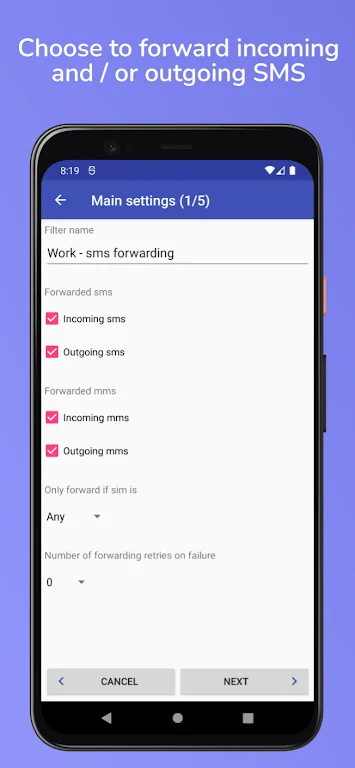
- SMS/MMS Forwarding: The app allows you to easily forward both outgoing and incoming SMS/MMS messages to another phone, a computer, or a webserver. This ensures seamless communication across multiple devices.
- Email Integration: You can effortlessly forward your SMS/MMS messages to a computer using email. This feature enables you to access and manage your messages conveniently from your desktop or laptop.
- Webserver Compatibility: The app offers the flexibility to forward your SMS/MMS messages to a webserver using HTTP in JSON format. This empowers you to integrate your messages into web-based applications or databases in real-time.
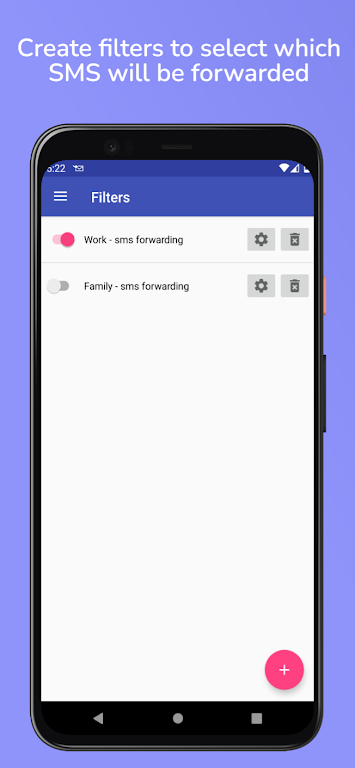
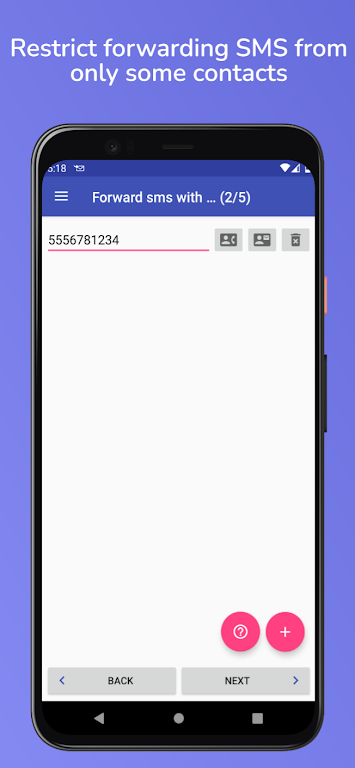
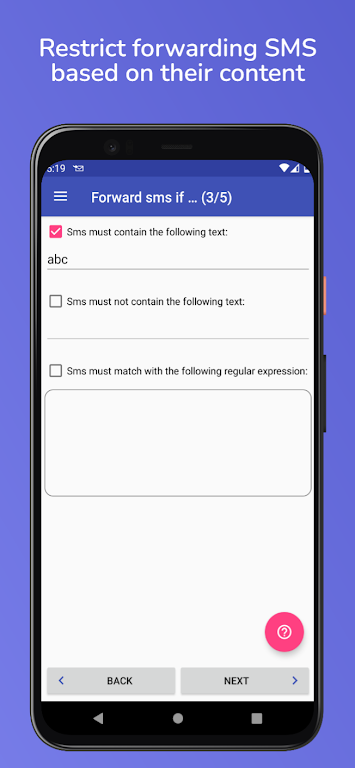
- Customized Filtering: You can create personalized filters to transfer SMS/MMS messages based on the sender or content. With this feature, you can easily organize and prioritize messages according to your preferences and needs.
- SIM Card Selection: If your phone has multiple SIM cards, the app allows you to choose which SIM card to use for sending messages. This feature ensures that you have full control over your messaging preferences.
- Ad-Free Experience: The application is completely free from advertisements, providing an uninterrupted user experience without any distractions.
Conclusion:
With its comprehensive range of features, this app simplifies and enhances your SMS/MMS management. Whether it's synchronizing messages between devices, forwarding important authentication messages, or creating personalized filters, this app offers a seamless and convenient solution. Download Auto forward SMS to PC / Phone now to streamline your messaging experience and gain full control over your SMS/MMS communication.