In today's world of widespread digital media consumption, a robust media server and management solution is crucial. Emby for Android is a versatile application designed to meet user needs with a suite of powerful features. This article explores Emby's technical details, emphasizing its key capabilities and explaining what makes it a standout media server and player.
Dynamic Media Conversion
Emby shines with its dynamic media conversion, functioning as a universal media player. It guarantees media compatibility across all your devices by automatically transcending content into playable formats. Whether you use a smartphone, tablet, smart TV, or game console, Emby delivers a smooth playback experience.
Technical Insight: Emby employs a transcoding engine that dynamically converts media into different formats, bitrates, and resolutions based on the device's capabilities and network conditions.
Sophisticated Media Organization
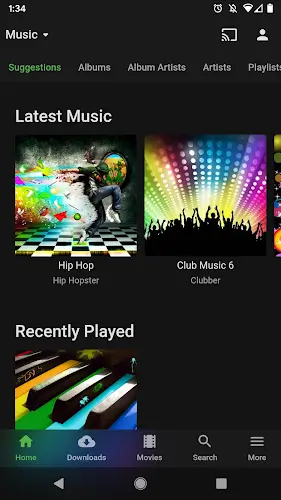
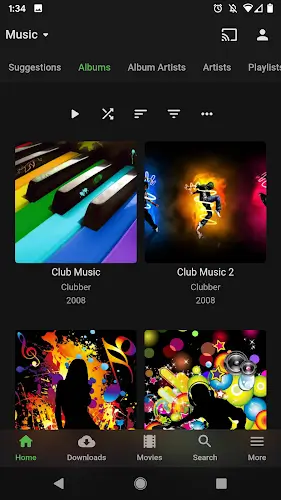
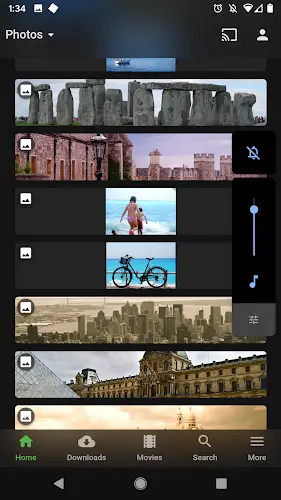
Emby goes beyond simple playback by excelling at media organization. The application beautifully presents your content with artwork, detailed metadata, and related information. This transforms your library into an engaging hub, making it easy to browse and discover your favorite movies, TV series, music, and more.
Technical Insight: Emby pulls metadata from sources like The Movie Database (TMDb) and TheTVDB, efficiently storing and accessing this information using a local database.
Seamless Media Sharing
A standout feature of Emby is its effortless media sharing with friends and family. You can grant access to your media library, providing a seamless experience for invited guests. It's perfect for sharing favorite content or building a shared media collection with loved ones.
Technical Insight: Emby provides secure remote access with user authentication and permissions management, ensuring shared content is protected and accessible only to authorized individuals.
Advanced Parental Controls and Management
Emby prioritizes family-friendliness with comprehensive parental controls and management tools. You can oversee and regulate access to your entire media library, setting restrictions based on content ratings, creating individual user profiles for family members, and monitoring their activity.
Technical Insight: These parental controls are implemented using user-level permissions and content rating data, ensuring only age-appropriate content is available to designated users.
Live TV and DVR Management
Emby extends beyond local media, offering live TV streaming and DVR management when paired with compatible TV tuners. This feature lets users watch live television and record their favorite programs, establishing Emby as a complete entertainment center.
Technical Insight: Live TV and DVR functionality relies on TV tuner hardware and supported streaming protocols, enabling real-time TV viewing and digital recording.
Cloud-Synced Media Streaming
Emby increases media accessibility through cloud-synced streaming. By integrating with various cloud sync providers, you can effortlessly access your media collection from any location with an internet connection.
Technical Insight: Emby supports major cloud providers such as Google Drive and Dropbox, securely incorporating these services for smooth remote streaming.
Conclusion
Emby for Android is a powerful media management solution that caters to a wide range of user needs. Its technical strengths in dynamic media conversion, sophisticated organization, and comprehensive tools for sharing, parental control, and DVR management make it a top choice for media enthusiasts. Furthermore, its cloud sync features expand media accessibility. Whether you're a collector, an enthusiast, or simply seeking a user-friendly media management tool, Emby for Android delivers a complete solution.