Meet File Manager Plus for Android—a free, swift, and powerful file explorer designed to simplify how you manage local, network, and cloud storage. Featuring an intuitive interface and streamlined controls, organizing, moving, and assessing files across multiple devices becomes effortless.
What Makes File Manager Plus Special
Your All-in-One File Management Tool:
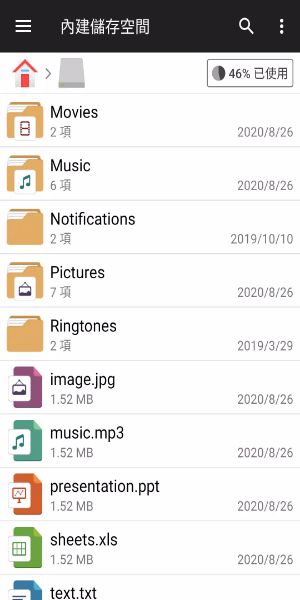
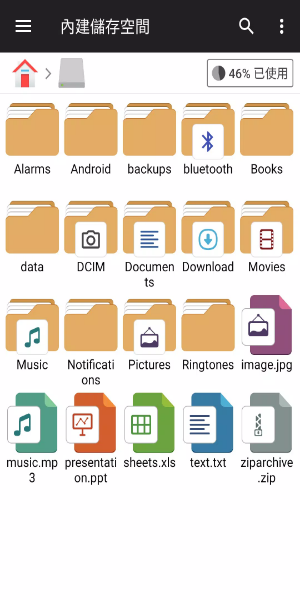
File Manager Plus is the ultimate choice for browsing files and folders on Android. It supports a full range of file operations—open, search, navigate, copy, paste, cut, delete, rename, compress, extract, share, download, bookmark, and organize various file types including media files and APKs.
Unified Storage Management:
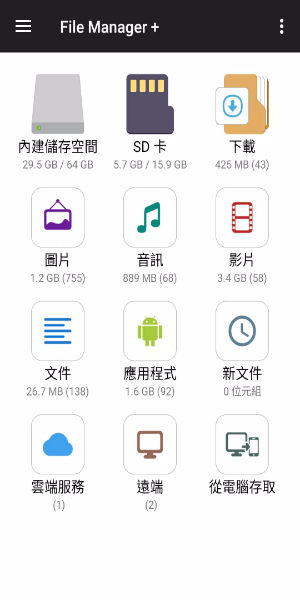
Seamlessly manage files across Internal Storage, SD Card, and USB OTG. Keep everything tidy with categorized access to Downloads, New files, Images, Audio, Videos, and Documents. You can also view and handle all apps installed on your device directly from the app.
Cloud & Remote Storage Support:
Connect to popular cloud services like Google Drive™, OneDrive, Dropbox, Box, and Yandex, plus remote or shared storage such as NAS and FTP servers. File Manager Plus even lets you access your Android storage from a PC using FTP for easy file transfers.
Storage Analysis & Cleanup Tools
Analyze your local storage to find and remove unneeded files, maximizing available space. Identify the largest files and apps using your storage so you can free up room with ease.
Integrated Tools & Utilities
Built-in Media Tools:
View images, play music, and edit text files right inside File Manager Plus. Enjoy quick access and smooth performance for media and text editing on the go.
Archive Handling Made Easy:
Quickly compress and decompress files. The app supports creating zip archives and extracting files from zip, gz, xz, and tar archives for easy file packaging and unpacking.
Optimized for All Android Devices:
Built for Android TV, phones, and tablets, File Manager Plus delivers a consistent and smooth experience across every device, with an interface adapted for your screen.
Designed for Every User
Clean and Easy to Use:
With its simple yet capable design, File Manager Plus provides an intuitive experience for beginners and power users alike. The layout and navigation focus on usability and quick access to essential file tasks.
Completely Free & Fully Loaded:
File Manager Plus is 100% free—no hidden fees or in-app purchases. All features are available from the start, offering a complete file management solution without restrictions.
Stay Organized & Secure:
Manage files and folders securely with File Manager Plus. The app ensures safe and reliable handling of sensitive information during all file operations.
Get File Manager Plus today and elevate your file control. Streamline file management across devices with greater ease and efficiency.