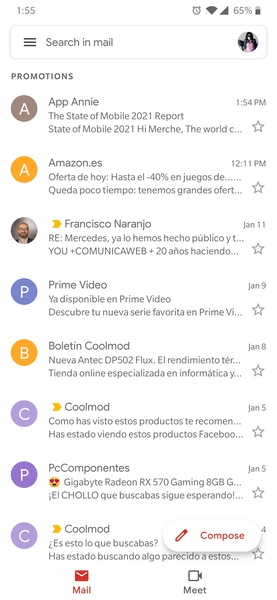
Gmail is the official app for the Google email client that lets you manage your email account (and any other account you may have) using a clean and user-friendly interface. The first thing users will note is that, apart from having your regular email account, you can also associate other, different accounts to the app. Thanks to this feature, you'll be able to get all of your emails in a single place, without having to resort to any other email manager.
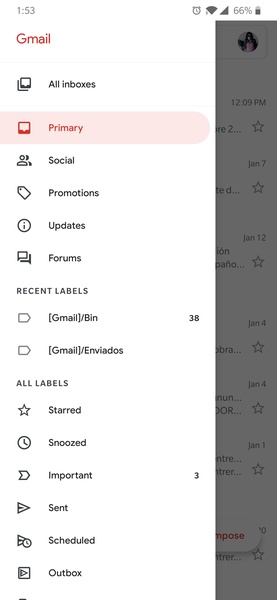
Gmail's interface is very similar to the desktop browser client which just about all users are already used to: on the left column you have different tags and categories, while in the center of the screen you get to read all of your emails. Gmail's intelligent management system also separates promotions from social emails, and both of these from the truly important emails. Thanks to all of the widgets installed in the Gmail app, you can monitor email tags on your device's main screen, or simply see your latest incoming emails (and answer them if you want). Gmail's official app is, like its desktop version, a must-have service for any regular Android user. There may be better ways of managing your email from a mobile device, but finding them won't be easy.
Requirements (Latest version)
Android 6.0 or higher required
Frequent questions
How do I add a Gmail account?
To add a Gmail account to the Gmail app, start by opening the app. From there, the app will guide you through the process of adding an account. If you're already logged in on your device, you don't need to log in again. Otherwise, you'll have to enter your email address and password.
Can I add other email accounts to Gmail?
Yes, Gmail lets you add other email accounts to the app. You can add several Gmail accounts, or even add accounts from other email services, such as Hotmail or Yahoo Mail, as well as your work email.
How do I add an email account in Gmail?
To add an email account in Gmail, click on your image at the top right. There, all the accounts you've added in Gmail will appear, as well as the option to "Add another account."
What is my Gmail password?
The password for your Gmail account is the same as the password for your Google account. If you've forgotten it, you'll have to enter your email address and click on "Recover password." There, Google will give you several options to recover it, such as receiving an SMS to your phone number associated with the account.