Google Sheets is a powerful and adaptable spreadsheet tool that lets you create, edit, and collaborate on spreadsheets directly from your Android device. It features real-time co-editing, offline access, and auto-save, helping you manage and analyze data with ease. The app also offers compatibility with Excel files and uses smart, AI-powered insights to boost your productivity.
Google Sheets: The Complete Spreadsheet Tool
Google Sheets is a flexible, cloud-based spreadsheet application built to increase productivity and simplify teamwork. Whether you're using your Android phone, tablet, or a desktop computer, you can effortlessly create, edit, and share spreadsheets. This robust tool integrates smoothly with Google Workspace, offering a full-featured solution for data management and analysis.
Key Features of Google Sheets
Create and Edit Spreadsheets
With Google Sheets, you can start new spreadsheets or update existing ones right from your mobile device. Its user-friendly interface lets you format cells, enter or sort information, and insert formulas for complex calculations. The app also includes tools like find and replace, data validation, and more, giving you complete control over your work.
Real-Time Collaboration
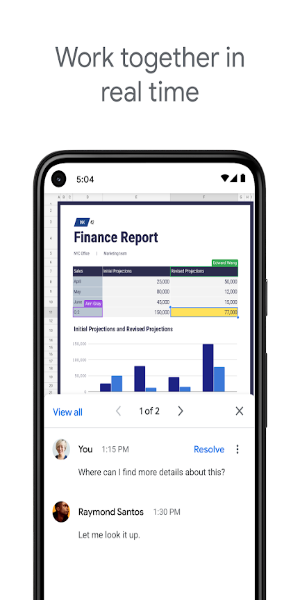
Collaborating is simple with Google Sheets. Share spreadsheets with others and work on them together at the same time. Everyone can see edits and updates instantly, which improves teamwork and minimizes confusion. You can also add and reply to comments directly in the sheet for clearer communication and feedback.
Offline Access
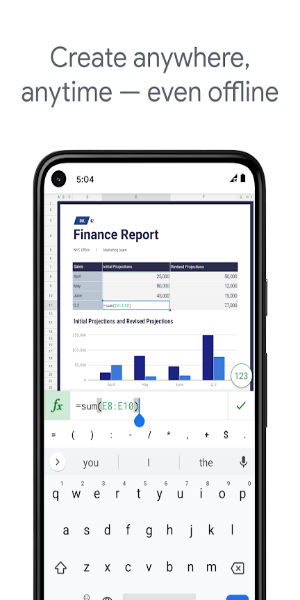
A major advantage of Google Sheets is its ability to work offline. Without an internet connection, you can still create, view, and edit your files. When you reconnect, all your changes sync automatically, keeping your data current.
Automatic Saving
Stop worrying about losing your progress. Google Sheets saves your work automatically as you go, removing the need to manually save and giving you peace of mind. This ensures your data is always protected and up to date.
Smart Suggestions and Insights
Google Sheets uses advanced AI to provide intelligent tips for formatting, analyzing data, and creating charts. Quickly uncover insights and improve your spreadsheets with automated suggestions that simplify your workflow.
Excel Compatibility
The app works smoothly with Microsoft Excel. You can open, edit, and save Excel files without any issues. This compatibility makes it easy to collaborate with Excel users and move your work between different platforms.
Advanced Tools for Google Workspace Users
As part of Google Workspace, Sheets offers extra features for subscribers:
Enhanced Collaboration Tools
Google Workspace subscribers get more powerful collaboration options. Easily add team members to projects, track changes in real time, and get alerts for edits made in your absence. Built-in chat lets you talk with coworkers directly inside the spreadsheet, streamlining teamwork.
Powerful Insights Powered by Google AI
Subscribers gain access to advanced data analysis driven by Google AI. Quickly produce insights and forecasts, making data-informed decisions simpler and more precise.
Seamless Integration and Security
Google Sheets integrates effortlessly with other essential business tools, enabling efficient data analysis and management. Enterprise-level security keeps your information safe, and custom solutions can be developed to fit your specific business needs.
Advanced Data Analysis and Custom Solutions
Analyze information from multiple sources and build tailored solutions for your business. Google Workspace delivers powerful tools and integrations to help you effectively manage and interpret your data.
Get Started with Google Sheets Today
Google Sheets is more than a simple spreadsheet app—it's a comprehensive tool for collaboration, data analysis, and getting things done. Whether handling personal tasks or complex business projects, Google Sheets delivers the flexibility, features, and security required to succeed. Download it today and discover the future of spreadsheet management and teamwork.
With Google Sheets, you can confidently handle any data task, collaborate seamlessly with your team, and make smarter decisions supported by powerful insights. Embrace cloud-based spreadsheets and elevate your productivity with Google Sheets.