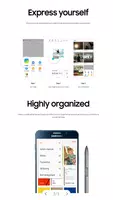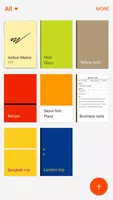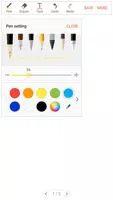
S Note is a powerful note-taking app developed by Samsung, optimized for use on Galaxy devices. It offers an intuitive platform for users to create, manage, and share notes effortlessly. The application stands out with its support for handwriting recognition, text input, and the ability to enhance notes with images, audio recordings, and sketches. S Note also allows for extensive customization, enabling users to personalize their notes with various colors and styles, making it an excellent choice for both personal and professional use.
Features of S Note:
Versatile Features: S Note is equipped with a broad spectrum of tools including freehand writing, drawing, multimedia insertions, and note categorization, catering to diverse user needs.
Easy Syncing: The app facilitates seamless syncing of notes across multiple devices through Samsung or Evernote accounts, ensuring you can access your notes anytime, anywhere with ease.
Customization Options: Users can enrich their notes by adding charts, sketches, pictures, voice notes, and choosing custom backgrounds, offering ample personalization options.
Extension Pack: By integrating the Extension pack, users gain access to advanced features like quick access buttons, quick shape recognition mode, and text transformation, significantly enhancing the note-taking experience.
FAQs:
Can I use S Note on devices that do not support S Pen?
Yes, S Note is usable on devices without an S Pen, though certain features requiring the S Pen may not be accessible.
What permissions does S Note require?
S Note needs permission to access storage for file management, and optionally, permissions for camera, microphone, location, and calendar to enable additional functionalities.
How can I create charts in S Note?
To create charts, utilize the Easy chart feature, exclusively available on Galaxy Note series devices, to insert various chart types into your notes.
Conclusion:
S Note emerges as a comprehensive solution for note-taking, boasting a plethora of features, customizable options, and convenient syncing capabilities. The addition of the Extension pack and the Easy chart feature elevates the note-taking experience, making notes more interactive and visually engaging. Whether you're a student, a professional, or a creative mind, S Note serves as an ideal tool for organizing your thoughts, ideas, and data efficiently. Download S Note today to unlock the full potential of note-taking on your device.
Latest version 5.2.05.1 update log
Last updated on April 27, 2023
Enhance the stability