Protect your privacy with the Lock Screen Monitor & Password App. By enabling the lock screen monitor setting, you'll have peace of mind knowing that your phone is secure, even when you're not around. This innovative feature captures photos of anyone attempting to unlock your phone and stores them in a safe place. Say goodbye to the frustration of wondering who tried to snoop on your device. With this app, you can easily check and manage these photos within the app itself. Share and delete them as you please, and regain control over your personal information.
Features of Lock Screen Monitor & Password:
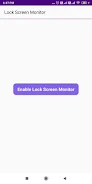
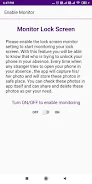
- Lock Screen Monitoring: This app allows you to enable a lock screen monitor setting, which notifies you when someone tries to unlock your phone in your absence.
- Photo Capture: Whenever an unfamiliar person attempts to open your phone, the app captures their photo discreetly. These photos are securely stored in a safe place within the app.
- Photo Gallery: You can easily view all the photos captured by the app in a dedicated photo gallery. This allows you to quickly identify and keep track of anyone who tried to access your phone without permission.
- Share and Delete: With a few simple taps, you can easily share or delete the captured photos as per your preference. By sharing the photos, you can alert others about potential unauthorized attempts to access your phone.
- Privacy Protection: The app ensures the privacy of your photos and personal information by storing the captured images in a secure location. This ensures that only you have access to them.
- User-friendly Interface: This app provides a simple and intuitive interface that is easy to navigate, making it convenient for users of all ages to monitor and protect their lock screen.
Conclusion:
With the Lock Screen Monitor & Password App, you can safely monitor and protect your phone when you're not around. By enabling the lock screen monitor setting, the app discreetly captures photos of any strangers attempting to unlock your phone, storing them securely within the app. Its user-friendly interface and convenient features, such as photo gallery, sharing, and deletion options, make it a must-have tool for anyone concerned about the privacy and security of their device. Don't miss out on safeguarding your phone – download the app now!