In the smartphone era, photography has evolved beyond a simple hobby into a true art form. Fueled by platforms like Instagram, we all aim to capture and share stunning images. Yet, even the best photos can benefit from a final touch of magic to unlock their full potential. This is where PhotoShot – Photo Editor excels. This versatile app provides a rich suite of features designed to turn your everyday snaps into extraordinary visual art.
Amazing Photo Transformations
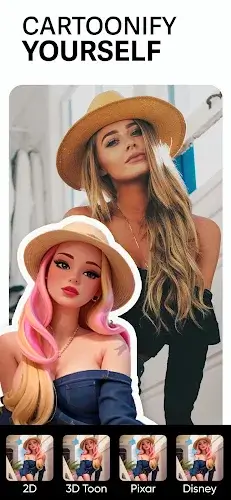
- Cartoonify: A standout AI feature, Cartoonify converts your photos into delightful cartoon-style images with a single tap. It’s a fun and unique way to give your pictures a playful new character.
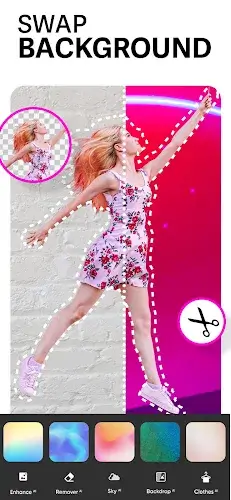
- Sky Changer: A game-changer for landscapes, this tool lets you swap out the sky in your photos for a selection of high-quality backgrounds. Easily alter the mood and atmosphere of any outdoor scene.
- Background Photo Editor: Simplify the task of erasing and replacing photo backgrounds. With access to 100+ backgrounds, you can effortlessly give your images a fresh, exciting context.
- Cutout: This AI-powered tool quickly removes backgrounds to create clean PNG cutouts. It’s a major time-saver for designers and anyone needing to isolate subjects for creative projects.
- Blender: Merge two images to craft stunning composite artwork. Whether for seamless photo merges or artistic double exposures, this feature provides the creative control you need.
- Clothes Changer: Experiment with fashion using this unique AI feature. Change the color of clothing in your photos to try new outfits without ever opening your closet.
Photo Enhancement
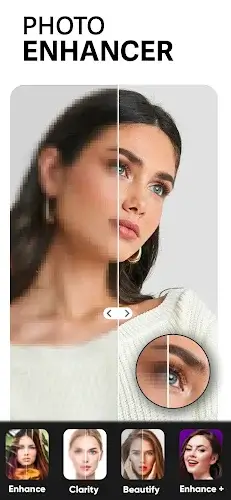
- AI Photo Enhance: A powerhouse for improving image quality. This feature enlarges, upscales, and reduces noise in low-quality photos, resulting in sharper, more visually appealing results.
- Retouch Selfies: Ideal for selfie lovers, this tool beautifies your portraits with a wide range of filters. Achieve flawless skin, stunning eyes, and perfect-looking photos with ease.
Essential Editing Tools
- Remove: Clean up your images by erasing unwanted objects such as watermarks and logos. It’s an indispensable tool for creating professional, polished photos.
- Add Text: Choose from over 100 fonts to add text to your images. Whether creating memes, invitations, or simply adding captions, the creative possibilities are endless.
- Add Stickers: Inject fun and personality into your pictures with ease. A vast collection of stickers for every occasion lets you customize and enliven your visuals.
Special Effects
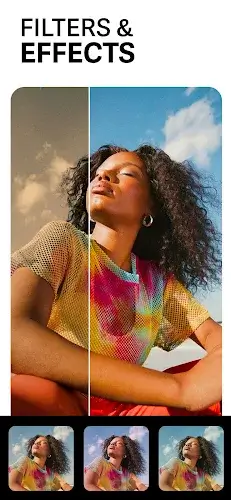
- Effect: Apply eye-catching effects like Neon, Glitch, Drip, and Light fx to your photos. Experiment to give your images a distinct, artistic edge.
- Filter: Quickly enhance the mood and tone of your photos with hundreds of free filters. Options range from vintage aesthetics to modern styles, catering to every taste.
- Blur: A powerful editor featuring motion blur and DSLR-style blur effects. Create professional-looking photos with beautiful depth-of-field and captivating focus.
Photo Cropping & Resizing
- Crop: Effortlessly rotate, zoom, and resize your photos. This tool ensures your images are perfectly framed and cropped to your exact preferences.
- Resize: Optimize photos for Instagram by squaring and blurring backgrounds. It’s the perfect solution for making your social media feed stand out.
Conclusion
PhotoShot – Photo Editor is your comprehensive solution for all photo editing needs. With its extensive range of features for transformation, enhancement, editing, effects, and cropping/resizing, it empowers you to unleash creativity and elevate your photography. Whether you're a professional or a casual shooter, PhotoShot provides the tools to make your photos truly shine. Try it today and transform your images into captivating works of art.