Simple Gallery: Your Ultimate Photo Management Solution
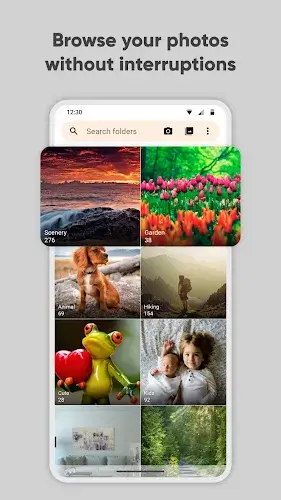
In the age of smartphone photography and the ever-growing need for efficient media management, a user-friendly and feature-packed photo gallery app is a valuable asset. Enter Simple Gallery, a versatile and powerful app that redefines how you organize, edit, and protect your precious memories and files. This article will explore the key features that make Simple Gallery an indispensable tool for Android users.
Advanced Photo Editor: Transform Your Images with Ease
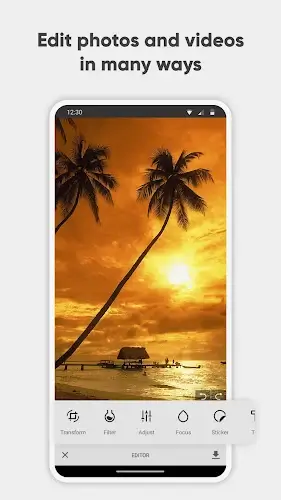
One of the standout features of Simple Gallery is its advanced photo editor, designed to make photo editing a breeze. With an improved file organizer and photo album, users can effortlessly enhance their images on the fly. Intuitive gestures make it super easy to crop, flip, rotate, resize pictures, or apply stylish filters to make them pop in an instant. Whether you're a professional photographer or a casual smartphone snapper, Simple Gallery Provides the tools you need to refine your photos with ease.
All the Files You Need: Unparalleled Format Compatibility
Simple Gallery is not limited to just photos; it supports a wide variety of file types. From JPEG and PNG to MP4, MKV, RAW, SVG, GIF, panoramic photos, and more, this app offers full flexibility in your choice of format. No more wondering whether a specific file format is compatible with your Android device, as Simple Gallery ensures that the answer is always "yes." With its extensive format support, you can manage all your media files in one place effortlessly.
Make It Yours: Highly Customizable Design
What sets Simple Gallery apart is its commitment to user customization. The app's design is highly customizable, allowing you to tailor it to your preferences. From the user interface to the function buttons on the bottom toolbar, Simple Gallery gives you the creative freedom you need in a gallery app. You can personalize the app's look, feel, and functionality, ensuring that it works just the way you want it to.
Recover Deleted Photos & Videos: Safeguard Your Memories
Accidentally deleting a cherished photo or video can be a heartbreaking experience. However, with Simple Gallery, that concern becomes a thing of the past. The app allows you to quickly recover any deleted photos and videos, making it not only the best media gallery for Android but also a dependable photo vault app. Your precious memories are always safeguarded, ensuring you never lose that irreplaceable moment.
Protect Your Private Photos, Videos & Files: Enhanced Security Features
Security is paramount, especially when it comes to personal media. Simple Gallery goes above and beyond in this regard. The app offers superior security features, allowing you to use a PIN, pattern, or your device's fingerprint scanner to limit who can view or edit selected photos and videos or access important files. You can even protect the app itself or place locks on specific functions of the file organizer, ensuring that your private data remains private.
Conclusion
Simple Gallery is more than just a photo management app; it's a comprehensive solution for Android users seeking advanced features, customization, and security. With an intuitive photo editor, broad file format support, user-friendly customization options, data recovery capabilities, and robust security features, Simple Gallery stands out as the ultimate choice for organizing, enhancing, and safeguarding your media. Experience the future of photo management with Simple Gallery and take control of your digital memories like never before.