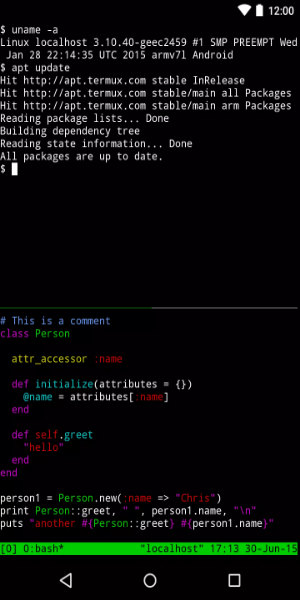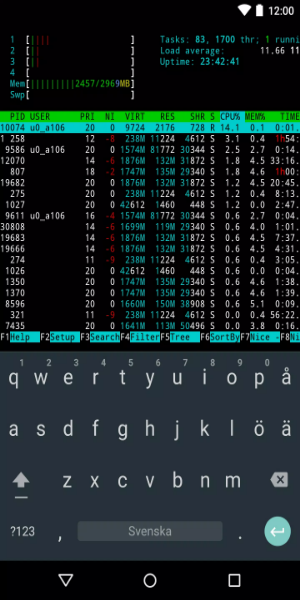
Termux is a free, open-source Android application that simulates a Linux command-line interface. It supports shells like bash and zsh, C programming, and Python scripting, empowering users to run standard Linux commands directly from their mobile devices.
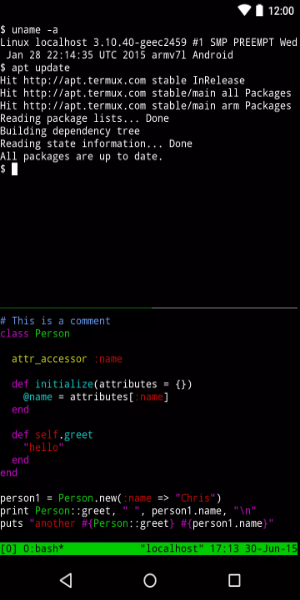
What Can Termux Do?
Termux is a versatile tool that emulates a Linux environment on Android devices. It works efficiently without requiring root access or complex setup. After installation, a minimal base system is configured, and users can install more packages via the APT package manager. This kind of environment is commonly used for secure, remote access to Linux servers.
Features and Capabilities
Termux includes OpenSSH with a reliable SSH client that enables smooth remote server management within an open-source framework. The emulator supports multiple shells, such as Bash, fish, or ZSH, and text editors like nano, Emacs, or Vim for file editing. Tools like Rsync can be used for backing up contact lists.
Additional Functionalities
You can access APIs using the curl utility. Termux supports code compilation for various programming languages using GCC and Clang compilers. The Python console is ideal for quick calculations and scripting. Additionally, Git and Subversion (SVN) help with version control and project management.
Comprehensive Package Library
Unlike traditional Android Terminal Emulators, Termux provides access to an extensive repository of Linux packages installable directly from the terminal, greatly boosting functionality and adaptability.
Innovative Keyboard Shortcuts
Termux introduces clever shortcuts using your device’s physical volume and power buttons, helping you enter commands more efficiently.
External Keyboard Compatibility
Termux is compatible with external keyboards connected through Bluetooth or USB, providing extra convenience for users who prefer typing on physical keyboards.
Versatility in Programming and Connectivity
Whether you're developing in NodeJS, Ruby, or Python, or establishing SSH connections, Termux offers the package management capabilities of a desktop Linux terminal for an uninterrupted workflow.
Seamless Linux Terminal Experience on Android
Termux brings the entire Linux terminal experience to Android, letting you harness the power and flexibility of desktop terminal operations on a mobile device.
Download Termux for Android
For anyone wanting to comfortably access a Linux command line on Android, the Termux APK is easy to download and install.
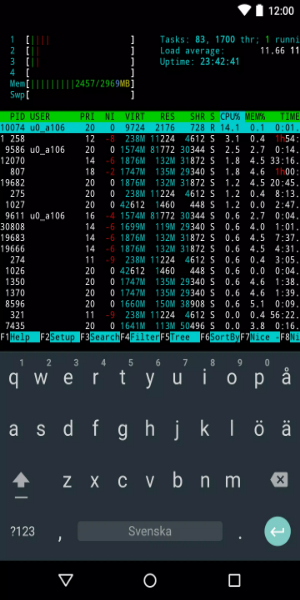
Termux Integrates Robust Terminal Emulation with a Wide Array of Linux Packages:
- Run bash and zsh shells for powerful command-line operations.
- Edit files seamlessly using the nano and vim editors.
- Connect remotely to servers through SSH.
- Compile code efficiently with GCC and Clang compilers.
- Use the Python console for quick calculations and scripting tasks.
- Manage projects with Git and Subversion version control systems.
- Enjoy classic text-based games with frotz.
Termux is an Android Terminal Emulator Offering:
Bash & Zsh: Execute advanced command-line operations with bash and zsh.
File Management: Browse files using nnn and edit with nano, vim, or emacs.
Remote Access: Effortlessly manage remote servers via SSH.
C Development: Compile and debug C programs using Clang, make, and GDB.
Python Console: Run scripts and calculations using Python.
Version Control: Work collaboratively with Git for version management.
Text-Based Games: Play classic titles like frotz.
Termux delivers a complete Linux environment on Android, supporting diverse development tasks and command-line activities.
Pros and Cons
Pros:
Feature-rich emulator.
Provides a secure and simple way to simulate a Linux environment on Android.
Offers multiple terminal shell choices.
Simplifies code compilation and contact backups.
Cons:
Some technical knowledge is helpful for unlocking its full potential.
To Download Termux APK on Your Android Device, Follow These Simple Steps:
1. Click the "Download Termux APK" button below.
2. The download will start automatically within a few seconds.
3. After downloading, open the Termux APK file.
4. Follow the on-screen instructions to complete the installation.
5. Once installed, you can start using Termux immediately.
What's New in the Latest Version
Fixed file receiving issues for ~/bin/termux-file-editor and ~/bin/termux-url-opener.
Added built-in support for several API methods without requiring Termux:API: termux-clipboard-*, termux-download, termux-saf-*, termux-share, termux-storage-get, termux-usb, termux-vibrate, and termux-volume.