Update your Bring Digital Key software to the latest version using the Bring & T update app. Follow these steps:
-
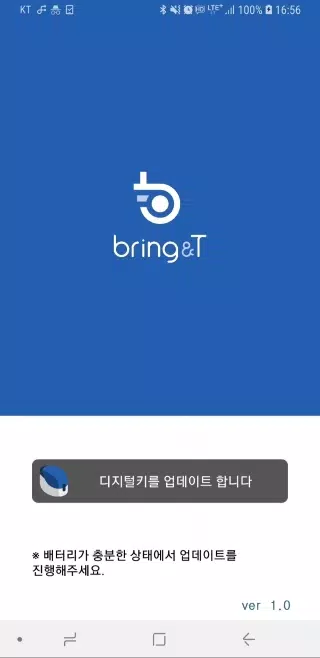
Launch the BringAnti update app.
-
Tap "Update digital key" at the bottom of the screen.
-
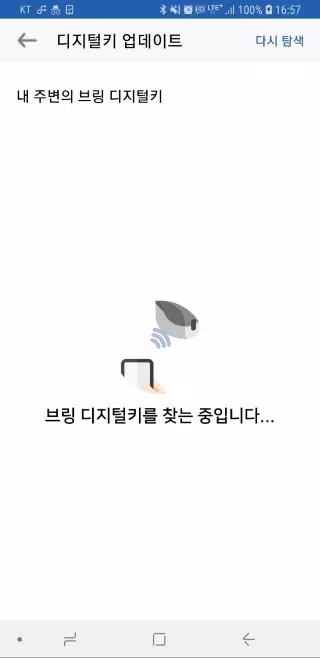
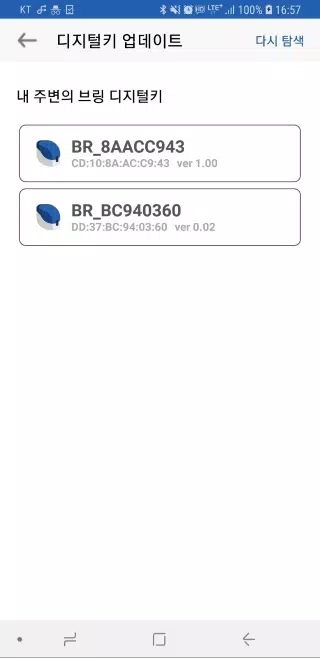
Select the digital key "BR_xxxxxxxx" from the list. If it's not found, tap the [Search again] button.
-
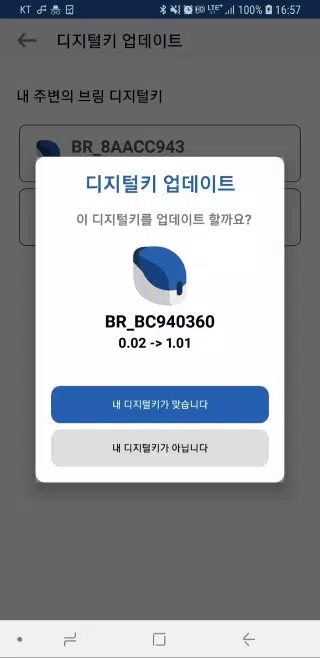
Once selected, the current and updated software versions will be displayed.
-
Press "Your device is correct." The digital key's lamp will blink purple for 10 seconds. Briefly press the digital key button (0.5 seconds) during this time.
-
The digital key's lamp will turn purple, then blue, indicating a successful software update.
-
Once complete, tap "Close" to exit the app.
-
Keep the digital key close to the update app during the wireless update process.
-
The update (approximately 2-3 minutes) cannot be interrupted once started. Ensure the digital key has sufficient battery power.
-
If the update stops or encounters an error, close the app and restart it.
-
Digital key software updates are only available after digital key registration. Unregistered keys cannot be updated.