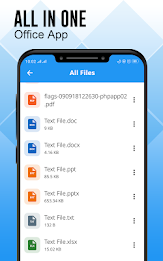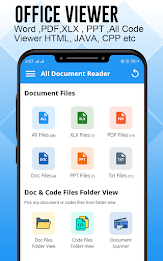
Introducing our app, the Document Viewer and File Manager! This all-in-one office suite empowers you to effortlessly view and read all your document files on your mobile device. Our app supports a wide range of file formats, including Word, Excel, PowerPoint, Text, and PDF, making it incredibly convenient to access and manage your files.
Beyond viewing, you can also convert PDF files to Word, JPG, or DOC formats, and even create PDF files from images or user input text. With features like document scanning, OCR, and folder structure view, our app is the perfect tool for organizing and accessing your files. Download now and experience the convenience!
Features of this App:
- Document Viewer: View and read all document files on your mobile device. Supports various file formats including Word, Excel, PowerPoint, Text, and PDF.
- Document Manager: Manage and arrange all your document files with a folder structure view. Easily search and view files, as all documents are available in a single place.
- PDF Creator / PDF Editor / PDF Converter: Convert files from PDF to Word, JPG, and DOC formats. Create PDF files from images and user input text. Includes a cropping tool to optimize images.
- PDF Viewer / PDF Reader: Read PDF files by simply tapping on them. Offers fast and stable performance, zoom-in and zoom-out options, and quick search functionality.
- Excel Viewer - Excel Reader: Supports reading all Excel file formats. View and access your Excel files with ease.
- Document Scanner: Scan documents, receipts, photos, reports, and PDF files anytime and anywhere. Includes OCR (optical character recognition) to extract texts from document images.
Conclusion:
This all-in-one document viewer and manager app provides a comprehensive solution for viewing, managing, and converting various document files. With its user-friendly interface and fast performance, it offers a seamless experience for users. Whether you need to view Word, Excel, PowerPoint, Text, or PDF files, this app has got you covered. Additionally, the document scanner feature adds convenience by allowing you to scan and extract texts from documents on the go. Download this app now to enhance your document viewing and management experience.