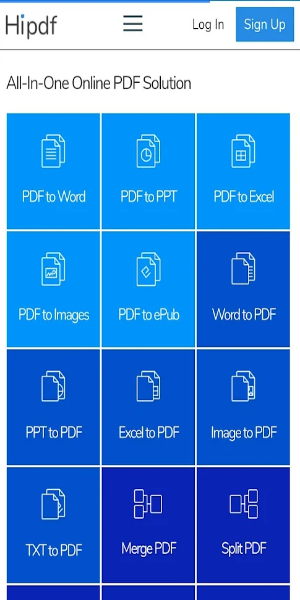
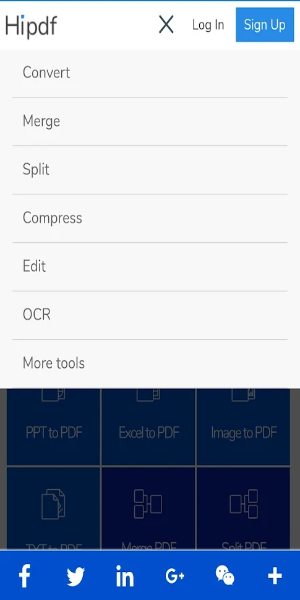
HiPDF is a powerful all-in-one online PDF tool that lets you convert, merge, split, and compress PDF files quickly and easily. With no sign-up, no ads, and no watermarks, your PDF tasks stay fast, secure, and hassle-free. All features are available right in your browser, making it the go-to PDF solution for everyone.
HiPDF: Your All-in-One PDF Tool
Whether for personal, educational, or work use, managing PDF files simply and effectively is more important than ever. That’s where HiPDF comes in—a full-featured online platform built to handle PDF tasks with speed and accuracy. With no sign-up, no ads, and no watermarks, it’s a top choice for PDF management. Let’s explore what makes HiPDF the smart choice for all things PDF.
What is HiPDF?
HiPDF is a complete online PDF toolkit that helps you perform a wide variety of actions—like converting, merging, compressing, and splitting PDFs. Its clean, intuitive layout makes it simple to use, even if you're new to PDF tools.
Key Features of HiPDF
PDF to Word Conversion
When you need to edit PDF content, HiPDF’s converter turns PDFs into Word documents while keeping the layout and fonts intact. This feature is perfect for students and professionals who want to update or reuse content from PDF files.
PDF to JPG Conversion
Need to turn PDF pages into images? HiPDF’s PDF to JPG tool produces high-quality images from your PDF, ideal for presentations or sharing content visually.
Merge PDFs
Bring multiple PDFs into one organized document using HiPDF’s merge feature. Just drag and drop your files, arrange the pages, and create your final PDF in moments.
Split PDFs
When you need to break a large PDF into smaller parts, the split feature makes it easy. Select specific pages or ranges to extract exactly what you need.
Compress PDFs
Large PDFs can slow down sharing and storage. With HiPDF’s compression tool, reduce file size without losing quality—perfect for emails or online uploads.
Edit and Annotate PDFs
HiPDF even supports PDF editing—add text, highlights, comments, and stamps to review or customize your documents with ease.
No Registration Required
You can start using all HiPDF tools immediately—no account or login required. This saves time and keeps your personal information private.
Ad-Free and Watermark-Free
Enjoy a clean workspace with no ads or watermarks. Your final documents look professional and stay distraction-free.
No Software Downloads
Everything runs in your browser. There’s nothing to install, so you can work securely from any computer or device with internet access.
User-Friendly Interface
With straightforward navigation and drag-and-drop simplicity, HiPDF works for all skill levels. Get things done quickly without a learning curve.
Benefits of Using HiPDF
-Convenience: Use HiPDF from any device with no installation or setup required.
-Efficiency: Manage PDFs quickly with versatile tools built for speed.
-Privacy and Security: Your files stay private—no registration, no watermarks.
-Quality Results: Expect professional-grade output that keeps documents looking sharp.
Conclusion:
HiPDF delivers a complete, user-friendly PDF toolbox for converting, merging, splitting, and compressing files—all without sign-ups, ads, or watermarks. Its reliable performance and straightforward design make it a dependable choice for all PDF users. Try HiPDF online today and see how it simplifies your document workflow and boosts productivity.