Tenpin Toolkit: Bowling Tools is an essential app for bowlers at every skill level, packed with resources and tools designed to elevate your game and challenge your abilities. Esteemed professionals in the industry, such as Tim Mack and Verity Crawley, have endorsed the app, underscoring its potential to transform your bowling experience. The app boasts a variety of features, including the Angles & Targeting tool for precise shot planning, the Axis Tilt & Rotation feature to measure and control your ball's movements, a Ball Speed & RPM calculator for accurate performance metrics, and an Observation Trainer to sharpen your skills in observing ball motion. Additionally, users can access a Pattern Library detailing hundreds of oil patterns, a Bowling Ball Arsenal to organize your collection, a Notes section for keeping important data at your fingertips, and a Score Calculator to help beginners master the scoring system.
Features of Tenpin Toolkit: Bowling Tools:
Comprehensive Tools for Improvement: This app is indispensable for bowlers seeking to refine their skills, explore new techniques, and push their boundaries. With tools ranging from targeting adjustments to observation training, Tenpin Toolkit provides a complete toolkit for success on the lanes.
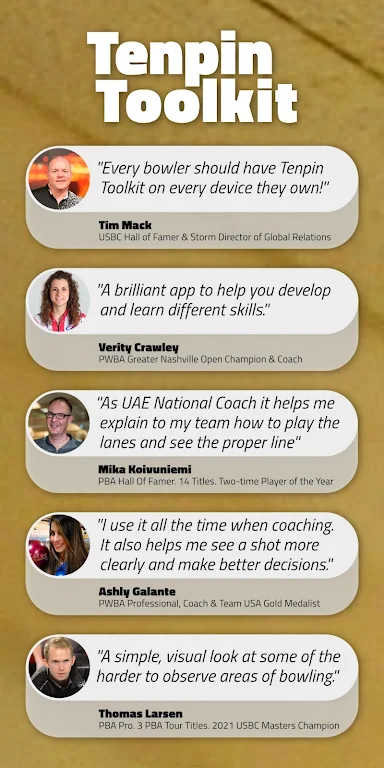
Professional Endorsements: Backed by acclaimed professionals and coaches such as Tim Mack, Verity Crawley, Mika Koivuniemi, and Jim Callahan, the app has earned its reputation as a vital resource for bowlers of all levels. Their endorsements affirm the app's effectiveness and reliability.
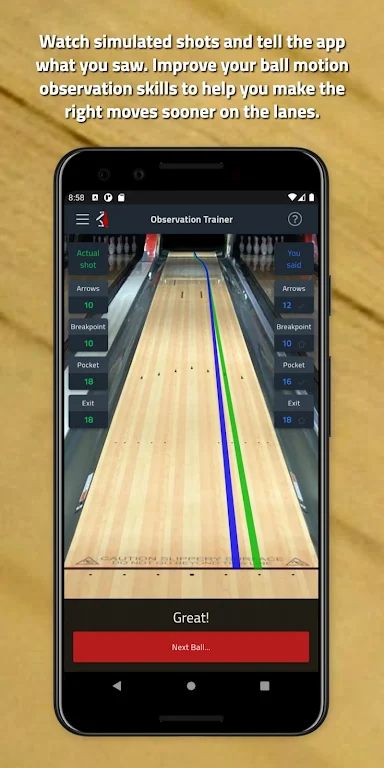
Realistic Simulations: Tenpin Toolkit offers immersive simulation features that allow you to practice and perfect your skills. The Observation Trainer, for instance, simulates the ball's motion down the lane, enhancing your ability to analyze and observe ball movement in a realistic and engaging manner.
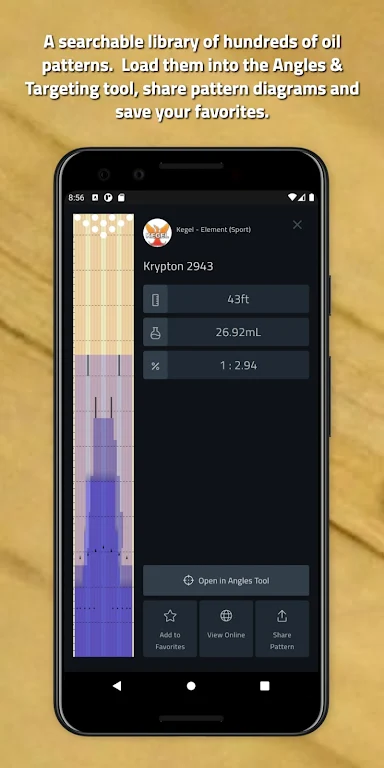
Extensive Information Database: With a Pattern Library that includes detailed diagrams of hundreds of oil patterns, and a searchable library of over 500 bowling balls, the app provides a wealth of information to aid in strategic planning. Users can personalize their data by entering details about ball surfaces, layouts, and notes, enabling them to monitor their equipment and track their progress effectively.
Tips for Users:
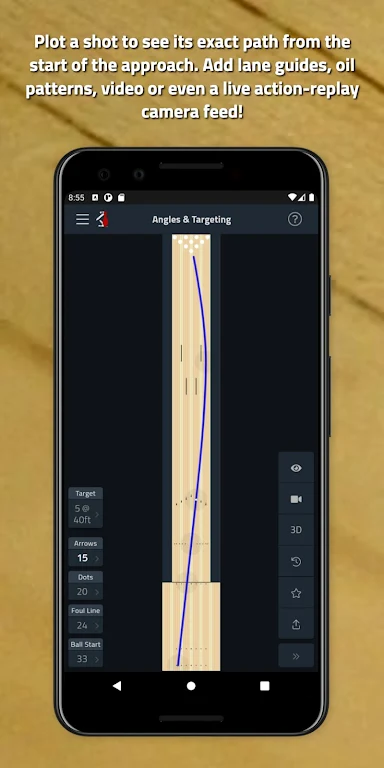
Utilize Angles & Targeting: Make the most of the Angles & Targeting tool by adjusting your targets on the lane diagram. Calculating the ball's precise path allows you to strategize your approach and enhance your shot accuracy.
Capture Ball Data with Axis Tilt & Rotation: Use the Axis Tilt & Rotation tool to analyze your ball's tilt and rotation by capturing images or videos with a Positive Axis Point marker. This data can help you fine-tune your technique and optimize your ball's performance on the lane.
Master Observation Training: Dedicate time to the Observation Trainer to improve your skills in observing ball motion. By studying simulated bowling balls traveling down the lane, you can gain insights into how your shots influence pin carry and make the necessary adjustments.
Conclusion:
Tenpin Toolkit: Bowling Tools is a feature-packed application that equips bowlers with a comprehensive suite of tools to advance their game. With endorsements from industry professionals and a realistic simulation environment, the app offers a credible and engaging platform for bowlers of all skill levels. The extensive database, encompassing oil patterns and a vast bowling ball library, enables users to make informed choices and monitor their progress. By leveraging the app's various tools and adhering to the provided tips, bowlers can elevate their performance. Download the app today and unlock the potential to enhance your bowling skills and knowledge.